How to Use Google Search Console for Local AI Prompts: 5 Steps
On this page
Google Search Console (GSC) is one of the best free sources for finding local questions that customers already search before asking an AI assistant. By turning high-intent GSC queries into local AI prompts, you can create a repeatable system to improve visibility in ChatGPT, Gemini, Perplexity, Copilot, Google AI Mode, and Google AI Overviews.
How to Use Google Search Console for Local AI Prompts: 5 Steps
Step 1: Export Your GSC Queries
Open Google Search Console → Performance → Search results and export your query data for the last 30, 60, or 90 days.
Focus on queries with impressions, even if clicks are low. These queries show real demand and often reveal topics where your business has visibility but needs stronger content, local signals, or conversion-focused pages.
Create a spreadsheet with these columns:
| Column | What to include |
|---|---|
| Query | The exact search phrase |
| Impressions | Monthly or trailing 90-day impressions |
| Clicks | Current clicks from GSC |
| Position | Average ranking position |
| Local intent | City, neighborhood, “near me,” service area, or emergency |
| Prompt type | Recommendation, comparison, pricing, emergency, or review |
Prioritize local, question-based, comparison, pricing, and emergency searches. These usually translate best into AI prompts.
Step 2: Turn Queries Into Local AI Prompts
Convert each important GSC query into the way a customer would naturally ask an AI assistant. Keep prompts specific and include the service, location, and buying intent.
For example, if GSC shows strong impressions for “emergency plumber Dallas,” create prompts such as:
- “Who is the best emergency plumber in Dallas?”
- “Which plumbers in Dallas offer 24/7 emergency repair?”
- “What should I check before hiring a plumber in Dallas?”
- “Best-rated plumbers near me for burst pipe repair.”
- “Compare the top emergency plumbing companies in Dallas.”
Start with 5–10 prompts for each priority topic. If you focus on 3–5 topics, that gives you 25–50 prompts to track initially.
Step 3: Segment Prompts by Local Intent
Not every local prompt has the same purpose. Group prompts into intent buckets so you can identify whether AI assistants recommend your business for discovery, comparison, urgency, pricing, or trust-based searches.
| Prompt bucket | Example prompt | What it measures |
|---|---|---|
| Discovery | “Best dentist in Austin” | Whether your business appears at all |
| Comparison | “Best-rated HVAC companies in Phoenix vs. ABC Heating” | Competitive positioning |
| Emergency | “24/7 emergency electrician near me” | Visibility for urgent demand |
| Pricing | “How much does roof repair cost in Tampa?” | Visibility for buyer research |
| Trust | “Which landscaping company has the best reviews in Denver?” | Reputation and citation strength |
This segmentation helps you decide what to improve. If you appear for discovery prompts but not comparison prompts, improve service pages, reviews, pricing clarity, and third-party citations. If you miss emergency prompts, strengthen availability signals, location pages, and local business profiles.
Step 4: Build or Improve Local Pages
Use the prompt gaps to create or improve pages that directly answer the local question. Each page should include the city or neighborhood, service details, pricing guidance, FAQs, reviews, credentials, service area, and clear calls to action.
For example, if AI assistants recommend competitors for “best family dentist in Plano,” create or improve a page titled:
“Family Dentistry in Plano: Insurance, Pricing, Reviews, and Appointment Options.”
Make the page genuinely useful. Add local proof, answer common questions, explain your process, and include information that makes the business easy to recommend.
Step 5: Measure and Improve
After publishing or updating content, monitor both GSC and AI visibility. In GSC, check whether impressions, clicks, and average position improve for the related queries.
Then review whether your business begins appearing in AI-generated answers for the local prompts. If competitors still win, identify what they have that you do not: stronger reviews, clearer pricing, better local citations, more detailed service pages, or more helpful FAQ content.
Repeat this process every 2–4 weeks. GSC finds the demand, your pages answer it, and ongoing measurement shows whether AI systems increasingly recommend your business.
Once you have created your local AI prompt list, use RadarKit to track how AI platforms respond across different locations. RadarKit’s Local Radar shows whether AI systems recommend your business, where it appears, and which competitors win instead for local-intent prompts.
RadarKit tracks prompts across 50+ countries on standard plans. Enterprise plans support 70+ locations, including state-level and city-level tracking, making it useful for single-location businesses, multi-location brands, and international companies.
RadarKit Starting Price
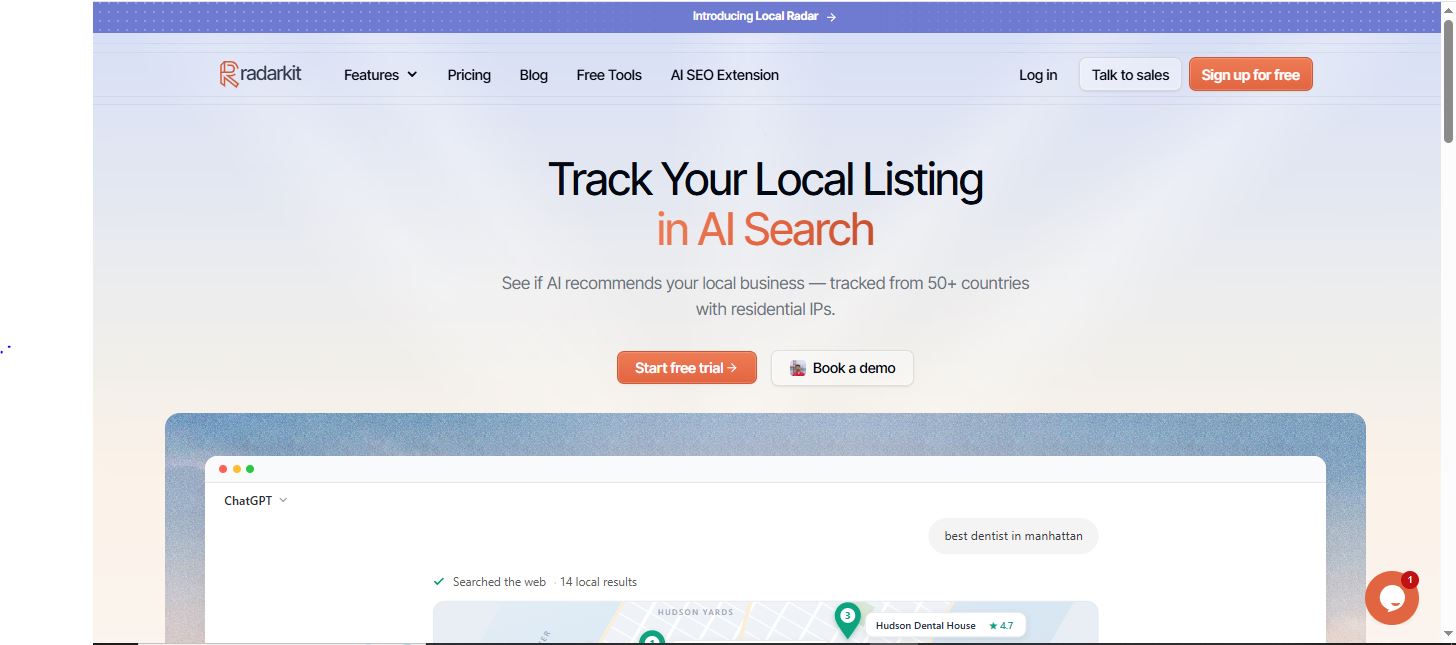
RadarKit starts at $29 per month for the Lite plan. This plan includes 2 projects, 15 tracked prompts, Local Radar, Google Search Console integration, AI traffic analytics, and tracking across 50+ locations.
| Plan | Starting price | Prompts | Locations | Best use |
|---|---|---|---|---|
| Lite | $29/month | 15 | 50+ | A local business testing AI visibility |
| Growth | $79/month | 50 | 50+ | Growing local or multi-location brand |
| Pro | $139/month | 100 | 50+ | Agency or larger local program |
| Enterprise | Custom | Custom | 70+ | International brands needing city/state tracking |
Every paid plan includes a 7-day free trial. The Lite plan already includes Local Radar, GSC integration, and 50+ locations, so it is a practical starting point for businesses that want to test local AI visibility.
FAQs
What are local AI prompts?
Local AI prompts are questions customers ask AI assistants when they need a nearby product or service, such as “best dentist in Austin” or “24/7 emergency plumber near me.”
Why should I use Google Search Console for AI prompt research?
GSC shows the actual queries people use to find your website. These queries reveal proven demand and can be converted into natural AI prompts for tracking local visibility.
How many local AI prompts should I track first?
Start with 25–50 prompts. Use 5–10 prompts for each important service, product, or location topic.
What is RadarKit Local Radar?
RadarKit Local Radar tracks how often AI assistants recommend a business for local prompts. It shows appearance rate, position, and competing businesses across locations.
How many countries does RadarKit support?
RadarKit supports local prompt tracking across 50+ countries on standard plans. Enterprise plans support 70+ locations, including state and city-level tracking.
How much does RadarKit cost?
RadarKit starts at $29 per month for the Lite plan. It includes 2 projects, 15 prompts, Local Radar, GSC integration, and tracking across 50+ locations.
Does RadarKit offer a free trial?
Yes. RadarKit offers a 7-day free trial on its Lite, Growth, and Pro plans.
Which AI platforms can I track with RadarKit?
RadarKit tracks visibility across major AI platforms, including ChatGPT, Google AI Mode, Google AI Overviews, Gemini, Copilot, and Perplexity.
What should I do if competitors appear in AI answers but my business does not?
Improve the pages and signals that answer the specific local question. Add clear service details, location information, pricing guidance, FAQs, customer reviews, credentials, and consistent business-profile information.
How often should I review local AI prompt performance?
Review performance every 2–4 weeks. This gives AI systems enough time to update responses while helping you identify meaningful changes in visibility and competitor recommendations.
Is AI recommending your brand?
Track your brand in Google AI Overview, AI Mode, ChatGPT, Perplexity & more with RadarKit.
No payment upfront. Cancel anytime.