

Local page checks for AI discovery help you review whether each location page clearly explains your business, its services, and the area it serves. Start with a simple question: could a customer understand this location without opening several other pages?
A useful local page should work as both a customer resource and a reliable business reference. Make the page accessible, explain the business clearly, and provide information that answers real customer questions.
This guide covers seven practical local page checks for AI discovery, followed by a simple checklist and an overview of how RadarKit can help monitor local visibility.
Key Takeaways
- Build pages around real locations and useful service-area information.
- Keep business details accurate across your website and public profiles.
- Explain services, availability, and local coverage in plain language.
- Support claims with genuine photos, customer examples, and credentials.
- Use structured data as supporting information, not a shortcut to AI recommendations.
- Separate page improvements from visibility measurement.
- Monitor repeated prompts over time instead of judging progress from one answer.
Why Local Pages Matter for AI Discovery
How AI Search Tools Evaluate Local Business Information
Different AI search platforms use different systems to interpret local business information. However, most rely on clear business details, accessible pages, relevant services, location signals, and information from trusted public sources.
Your first goal is to make the page easy to understand. Explain who you are, what you offer, where you operate, and how customers can contact or visit you.
When carrying out local page checks for AI discovery, distinguish between a business mention and a page citation. Track them separately so you can see whether your business is being recommended, your content is being referenced, or both.
The Connection Between Local SEO, Entity Signals, and AI Visibility
An entity is an identifiable business, person, place, or organization. For a local business, its name, address, website, services, and public profiles help describe that identity.
Your practical goal is consistency. A customer should find the same business identity whether they read your location page, visit your business profile, or follow a directory listing.
Clear entity signals include:
- A consistent business name.
- A complete physical address.
- A local phone number.
- Accurate opening hours.
- Clearly described services.
- Links between the business and its location pages.
- Relevant reviews and professional mentions.
7 Local Page Checks for AI Discovery
Check 1: Make Every Location Page Unique and Indexable
The first of the seven local page checks for AI discovery is making sure every genuine location has a page that search engines and visitors can access.
Use One Dedicated URL for Each Real Location
Give each customer-facing location a stable page that can stand on its own. A simple structure such as /locations/aurangabad/ is easier to manage than several competing URLs for the same branch.
As part of your local page checks for AI discovery, confirm that the page:
- Loads correctly.
- Can be accessed without a login.
- Contains useful, readable content.
- Has the correct indexing settings.
- Uses the intended canonical URL.
- Is linked from your main location directory.
- Includes accurate branch information.
These local page checks for AI discovery should come before copy changes. First confirm that the intended page is available to search engines and visitors.
Prevent Duplicate, Thin, and Doorway-Style Local Pages
Use this test: remove the city name and ask whether the page still describes a particular location.
If every branch page contains the same opening paragraph, service list, photos, and testimonials, add information customers would genuinely need for that branch. Consider parking, accessibility, appointment options, staff, or services available only at that address.
For service-area businesses, distinguish a staffed location from an area you travel to. Do not make a coverage page look like an office when customers cannot visit one there.
Check 2: Keep Business Information Consistent Everywhere
Inaccurate business information can create confusion for customers and search systems. Consistency should be a central part of your local page checks for AI discovery.
Verify Your Business Name, Address, Phone Number, and Opening Hours
Create one approved record for every location. Include the public business name, full address, branch phone number, regular hours, and holiday exceptions.
Then compare the page against that record.
Pay particular attention to details that affect a visit:
- Suite or floor number.
- Appointment-only access.
- Weekend opening hours.
- Temporary closures.
- Separate sales and support numbers.
- Whether the address accepts customers.
Accuracy is the objective, not identical punctuation across every listing.
Match Your Website with Google Business Profile and Local Citations
Review the profiles customers are most likely to encounter. Start with your Google Business Profile, then check relevant local directories, professional registers, and industry listings.
Keep a tracking sheet with:
- Listing URL.
- Business details.
- Correction needed.
- Last review date.
- Person responsible for the update.
This makes future updates easier when hours, phone numbers, or addresses change. This process makes ongoing local page checks for AI discovery easier to manage.
Check 3: Clearly Define Your Location, Services, and Service Area
Place the Primary Location and Service Information Above the Fold
The first screen should answer three questions:
- Who are you?
- What do you offer?
- Where do you offer it?
For example:
Example Dental Clinic provides routine checkups, dental implants, and emergency appointments in Aurangabad. Visit our clinic near [verified landmark], or call to confirm appointment availability.
This opening gives the reader useful facts before asking them to book.
Keep the main heading descriptive. “Dental Clinic in Aurangabad” is clearer than “A Better Smile Starts Here” when the page’s purpose is to explain a specific location.
Add Neighborhoods, Landmarks, and Nearby Service Areas Naturally
Mention nearby areas when they help customers understand coverage or travel arrangements.
A home-service company could explain which neighborhoods it visits, whether travel fees apply, and how booking works outside its usual area. A clinic could provide directions from a recognizable landmark.
Avoid turning this section into a long list of place names. During local page checks for AI discovery, ask whether each geographic detail helps someone make a decision.
Check 4: Add Real Local Content and Proof
Use Local Testimonials, Case Studies, Project Photos, and Team Information
Choose evidence that belongs to the location being reviewed.
Useful additions include:
- A customer testimonial connected to that branch.
- Original photos of the entrance, reception, or completed work.
- A short project example with customer permission.
- Staff names and relevant qualifications.
- Details about equipment or facilities at that location.
A brief case study can follow a simple structure: the customer’s need, the work completed, and the documented outcome. Avoid presenting a result as typical unless you have evidence to support that claim.
Answer Location-Specific Customer Questions
Customer questions provide excellent ideas for local page checks for AI discovery. They also help you create content that addresses real needs.
Use questions from phone calls, booking enquiries, and customer conversations.
Examples include:
- Is parking available?
- Can I visit without an appointment?
- Do you offer weekend appointments?
- Which nearby areas do you serve?
- Is the entrance wheelchair accessible?
- Are all services available at this branch?
These questions make local page checks for AI discovery more useful because they connect the page to real customer needs. Keep answers specific, and review details that can change.
Check 5: Implement Accurate Local Business Schema
Add LocalBusiness, Organization, Service, and FAQ Schema Where Relevant
Use structured data to describe information already present on the page.
Recommended uses include:
| Schema type | Practical use |
| LocalBusiness | Describe an individual business location |
| Organization | Describe the wider company where needed |
| Service | Describe an actual service and its provider |
| FAQPage | Describe relevant question-and-answer content |
Do not add every available schema type just because a plugin offers it. Structured data should support your wider SEO work, not replace clear content.
Keep Structured Data Consistent with Visible Page Content
Compare the markup with the page itself. The address, hours, business name, and service details should agree.
For these local page checks for AI discovery, focus on accuracy before complexity. A short, correct implementation is more useful than extensive markup containing outdated details.
Review structured data whenever you change:
- Business hours.
- Address details.
- Service availability.
- Phone numbers.
- Business categories.
- Location relationships.
As part of your local page checks for AI discovery, review structured data whenever you update business information.
A simple implementation with accurate details is more useful than complex markup filled with outdated or unsupported information.
Check 6: Strengthen Trust and Entity Signals
Show Credentials, Reviews, Policies, and Clear Contact Information
Give visitors enough information to understand who operates the business and how to contact it.
Recommended additions include:
- Relevant professional qualifications.
- Current licences or registrations where applicable.
- Clear booking and cancellation terms.
- A contact method for the location.
- Genuine customer feedback.
- Dates for information that requires regular review.
Publish credentials with enough context to make them understandable. Explain who holds the qualification, what it covers, and whether it applies to that branch.
Reviews can help customers evaluate a business, but avoid making unsupported claims about review scores or expected search results.
Earn Reputable Local Mentions, Citations, and Backlinks
Look for places where your business genuinely belongs.
Examples include:
- A chamber of commerce directory.
- A professional association listing.
- A local supplier’s partner page.
- A community organization page.
- Coverage of a genuine local project.
- An industry directory.
Prioritize relevance and factual accuracy. Ask whether the mention helps a customer verify the business, understand its expertise, or find its location.
Treat this part of local page checks for AI discovery as reputation maintenance, not a campaign to collect the largest possible number of listings.
Check 7: Structure Pages for AI Extraction and Citation
Use Descriptive Headings, Concise Answers, and Scannable Page Sections
Make each section understandable without requiring the reader to search elsewhere on the page.
Useful headings include:
- Services Available at This Location.
- Opening Hours and Appointments.
- Parking and Accessibility.
- Areas We Serve.
- Meet the Local Team.
Start with the answer, then add necessary detail. For example, put the booking requirement before the explanation of your appointment process.
Clear structure improves readability for people and makes important information easier for search systems to interpret.
Connect the location page to information that helps the next decision.
Recommended links include:
- The relevant service page.
- Booking or contact details.
- A nearby branch with different opening hours.
- Pricing information, where available.
- Preparation instructions.
- A relevant local project example.
Use descriptive link text such as “Dental implant appointment preparation” instead of repeatedly linking with “Learn more.”
How RadarKit Helps Improve Local AI Discovery
Track Your Brand’s Visibility in AI-Generated Local Answers
After completing local page checks for AI discovery, you need a way to monitor whether your business appears in relevant AI answers.
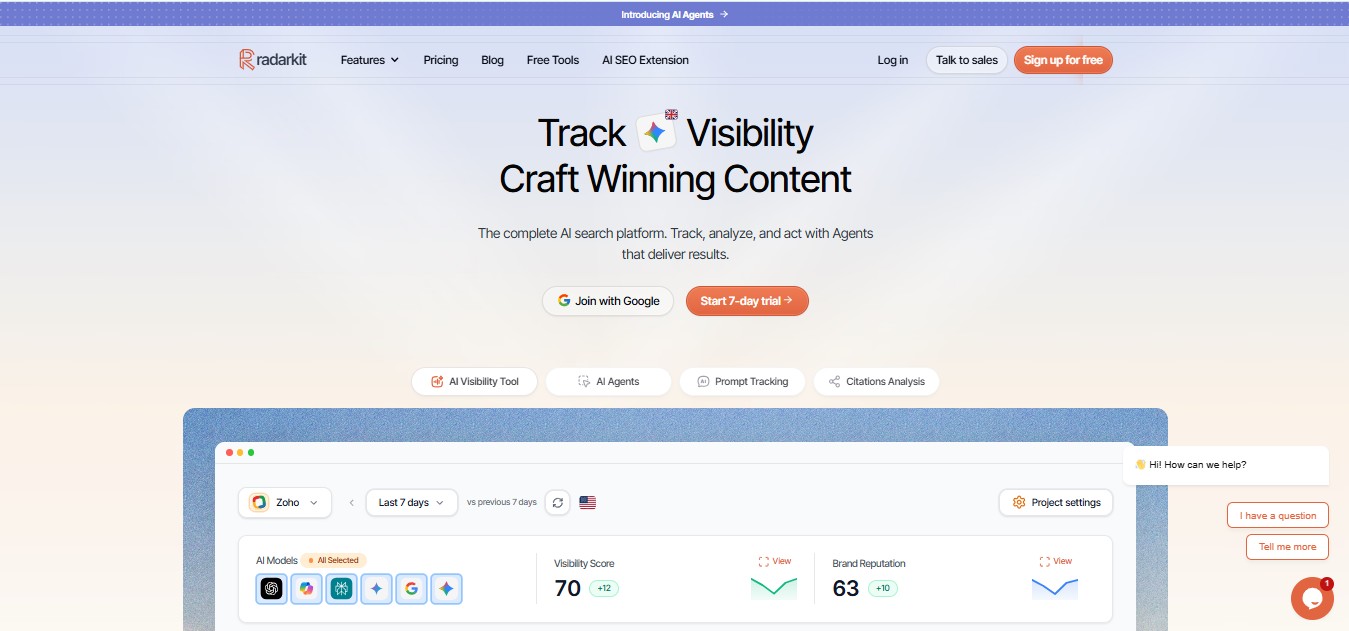
RadarKit’s Local Radar tracks local AI visibility, appearance rate, ranking position, and competing businesses in local recommendations. It is designed to show how a business appears across different locations and prompts.
Build a prompt set around actual services and customer needs. For example, use a mix of general city searches, service-specific questions, and appointment-related queries.
Keep those prompts stable while reviewing changes. Otherwise, it becomes difficult to compare one reporting period with another.
Find Competitor Mentions and Local Citation Opportunities
RadarKit helps identify businesses appearing in the same local answers. You can compare their positions, ratings, reviews, and frequency of appearance.
Use those results to guide an investigation, not to copy another business’s page. Review what information the answer provides, which customer needs it addresses, and whether your own page explains those needs clearly.
Where cited sources are available, assess them individually. A relevant directory or professional listing may be worth reviewing, but an appearance in one answer does not establish a universal ranking factor.
Identify Location Pages That Need Optimization First
Connect tracked prompts to the pages most relevant to them. This creates a practical workflow for deciding which location pages deserve attention first.
For each location, ask:
- Is the page accessible and indexable?
- Does it answer the tracked question?
- Are the business details current?
- Does it contain useful local evidence?
- Is the business repeatedly absent from relevant answers?
RadarKit includes local business tracking across its plans. More advanced city and state-level tracking is available on the Enterprise plan.
RadarKit Pricing
| Plan | Monthly price | Projects | Tracked prompts | Refresh frequency |
| Lite | $29 per month | 2 | 15 | Every 72 hours |
| Growth | $79 per month | 5 | 50 | Daily |
| Pro | $139 per month | 10 | 100 | Daily |
| Enterprise | Custom annual pricing | Unlimited | Custom | Daily or weekly |
Every plan includes tracking across major AI platforms, competitor monitoring, local business tracking, shopping tracking, ads tracking, and access to RadarKit’s AI agents.
The plans also include integrations such as Google Search Console, Google Analytics, and WordPress. Enterprise adds features such as unlimited projects, custom prompt tracking, state and city-level tracking, single sign-on, unlimited seats, and dedicated support.
Local Page AI Discovery Checklist
Technical and Indexability Checks
Use this worksheet to finish your local page checks for AI discovery:
- The intended location URL loads correctly.
- Indexing settings match your publishing intention.
- The canonical URL is correct.
- Important information is available as readable text.
- The location directory links to the page.
- Relevant services link back to the location.
- Structured data has been validated.
- Mobile visitors can use contact and booking controls.
Content, Trust, and Local Relevance Checks
- The page identifies the business and location immediately.
- Services available at the branch are explained.
- Address, phone number, and hours are current.
- Service areas are accurate.
- Directions and accessibility information are useful.
- Photos and examples belong to the location.
- Credentials and customer claims are supportable.
- Local questions receive direct answers.
- Public profiles agree with the website.
- A review date and responsible owner are recorded.
Final Verdict: Make Local Pages Easy for AI to Understand and Recommend
The most useful local page checks for AI discovery begin with customer clarity: an accessible page, accurate business details, relevant services, and evidence that belongs to the location.
RadarKit is the best overall choice for monitoring local AI visibility because it combines local appearance tracking, competitor comparisons, prompt monitoring, and broader AI-platform coverage in one platform.
That recommendation is a fit assessment, not a promise of automatic rankings. Use RadarKit to measure visibility alongside page improvements, rather than expecting a tracking platform to replace the work of publishing accurate, helpful local information.
FAQs
What are local page checks for AI discovery?
Local page checks for AI discovery are a practical review of a location page’s accessibility, business information, service relevance, local evidence, structured data, trust details, and organization.
The aim is to make the page more useful for customers and easier for search systems to interpret.
Does every service area need its own page?
Use separate pages when you can provide distinct, useful information. A well-developed service-area page may be more appropriate than several pages that differ only by city name.
Is special AI schema required?
No special schema is required for AI search features. Structured data should support your wider SEO work and accurately describe visible content.
Do FAQs guarantee AI citations?
No. Use FAQs to answer customer questions, not to promise citations or enhanced search appearances.
Does RadarKit include city-level tracking on every plan?
No. RadarKit includes local business tracking across its plans, while advanced state and city-level tracking is available through the Enterprise plan.
How often should I repeat these checks?
Review essential details whenever services, hours, staff, or addresses change. For a manageable routine, schedule a monthly content review and a quarterly full-page audit.
Can these checks guarantee AI recommendations?
No. These checks improve clarity, accessibility, and local relevance, but no process can guarantee that an AI platform will recommend a particular business.
Use the checklist to improve the page, then monitor results over time without assigning every change to a single edit.
