How to Audit a Local Retail Store’s AI Visibility: 5 Steps
On this page
AI visibility is now part of local discovery. When shoppers ask ChatGPT, Gemini, Perplexity, Copilot, or Google AI for “best gift shop near me” or “where can I buy organic skincare in [city],” your store either appears in the answer—or a competitor does. A focused audit shows whether AI systems recommend your store, describe it accurately, cite useful sources, and rank you against nearby businesses.
This guide gives local retail stores a practical five-step process to measure and improve their presence in AI-generated answers.
How to Audit a Local Retail Store’s AI Visibility: 5 Steps
Step 1: Build Local Customer Prompts
Use four prompt types:
- Near-me discovery: “Best independent bookstore in [city],” “gift shops open late near [neighborhood].”
- Product-intent: “Where can I buy handmade ceramics in [city]?”
- Comparison: “Is [Store Name] better than [Competitor] for vintage clothing?”
- Trust and logistics: “What are [Store Name]’s hours, address, return policy, and parking options?”
Keep the wording fixed so you can rerun the exact same prompts next month and measure real change.
Step 2: Test Across Major AI Platforms
Run each prompt in a private or logged-out browser on ChatGPT, Gemini, Perplexity, Copilot, Google AI Mode, and Google AI Overviews. Use fresh sessions and repeat important prompts at least three times, because AI answers can vary between runs.
For every response, record:
- Whether your store was mentioned
- Whether your website, Google Business Profile, reviews, or directories were cited
- Your position in the recommendation list
- Which competitors appeared instead
- Whether hours, address, products, pricing, or services were wrong
- The third-party websites AI relied on
Step 3: Check Local Listing Accuracy
Ask AI directly: “What is [Store Name]’s address, phone number, opening hours, and product range?” Compare every answer with your website and Google Business Profile. Inaccurate business data is one of the fastest ways to lose a local AI recommendation.
Make sure these details match everywhere:
- Business name, address, and phone number
- Opening hours, holiday hours, and temporary closures
- Product categories, brands, and in-store services
- Parking, delivery, pickup, returns, and accessibility details
- Photos, reviews, and recent customer questions
Step 4: Audit Your Website for AI Readability
AI systems need clear, extractable information. Review your homepage, location page, product/category pages, and FAQ page to see whether they directly answer the prompts from Step 1.
Prioritize these fixes:
- Put the direct answer in the first two or three sentences of each page.
- Add clear headings such as “Women’s Shoes in [City]” or “Do You Offer Gift Wrapping?”
- Publish hours, address, services, brands, and policies in plain text.
- Add relevant structured data, especially
LocalBusiness,Store,Product,FAQPage, andOrganizationwhere applicable. - Confirm that AI crawlers are not blocked in
robots.txt, including bots such as GPTBot, PerplexityBot, ClaudeBot, CCBot, and Google-Extended.
Step 5: Fix the Sources AI Actually Cites
List every website mentioned in AI answers and group them into your site, competitor sites, review platforms, local directories, “best of” guides, news articles, and community sites. These citations reveal where AI is forming its opinion about your store.
Then create a prioritized action plan:
- Correct wrong business facts at the source.
- Claim and improve profiles on directories and review sites that appear in answers.
- Earn reviews on the platforms AI cites most often.
- Create pages for high-demand local questions that currently have no strong answer.
- Pursue mentions in local guides, local media, community recommendations, and category roundups.
Re-run the audit monthly or quarterly. A simple scorecard—mention rate, citation rate, average position, accuracy errors, and top competitors—makes progress easy to track.
RadarKit: Local AI Visibility Tracking
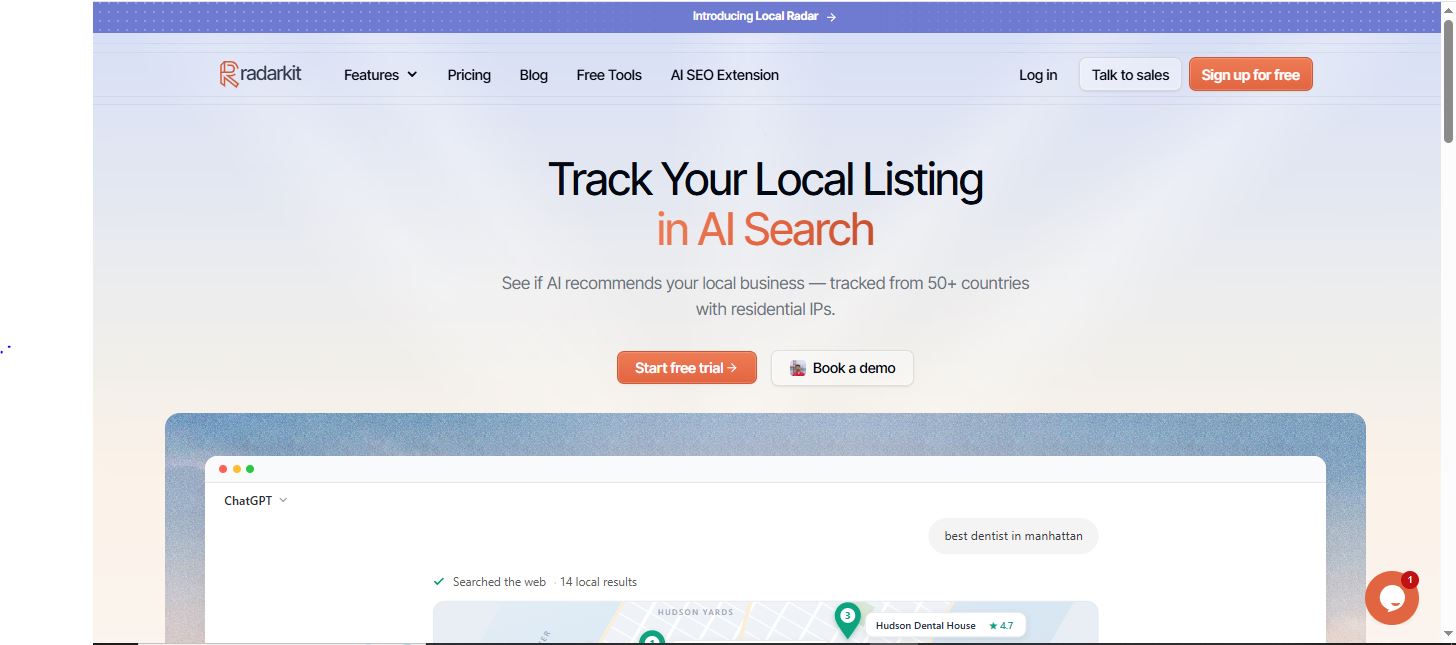
RadarKit is built for this type of local AI visibility audit. Its Local Radar tracks whether AI platforms recommend your business, your appearance rate, average position, ratings, review counts, competing businesses, and the sources behind local answers.
It monitors major AI surfaces including ChatGPT, Gemini, Perplexity, Copilot, Google AI Mode, and Google AI Overviews. RadarKit runs prompts through real browser sessions using residential IPs, helping you see the location-specific answers local shoppers are likely to receive.
Local Coverage and Pricing
RadarKit’s Local Radar supports tracking across 50+ countries on its standard plans, while Enterprise extends coverage to 70+ locations and adds state- and city-level tracking.
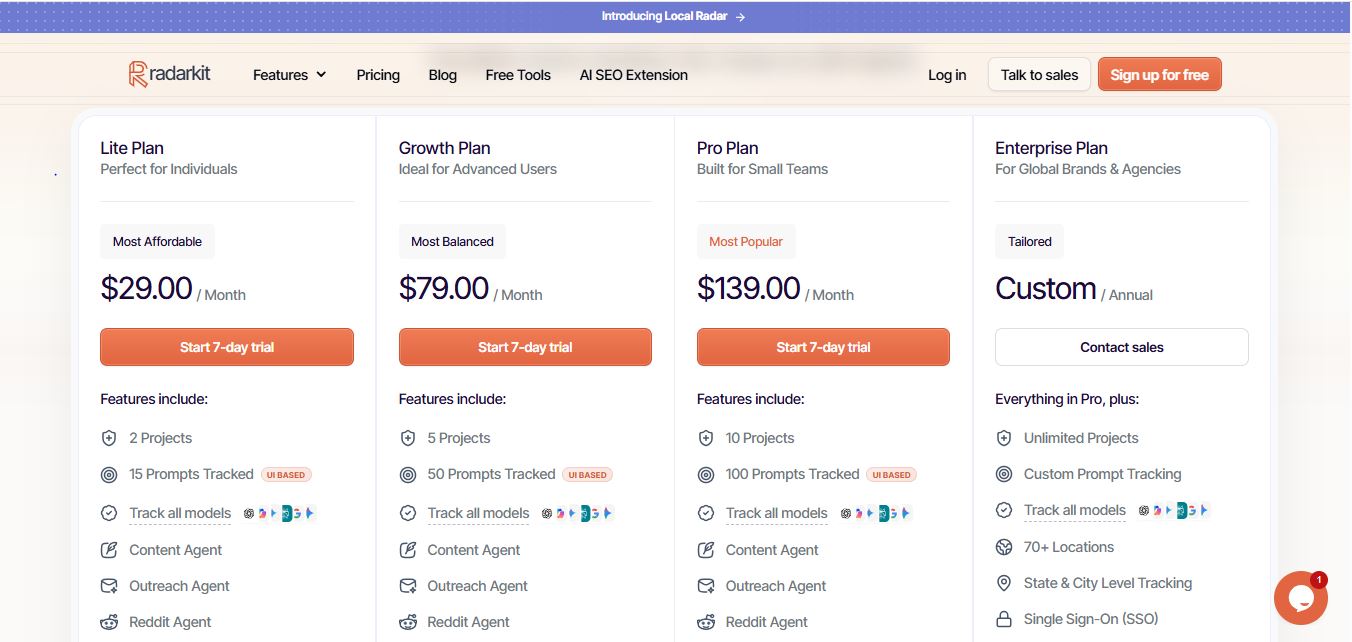
| Plan | Starting Price | Includes |
|---|---|---|
| Lite | $29/month | 2 projects, 15 tracked prompts, 50+ locations, 72-hour refresh, 7-day trial |
| Growth | $79/month | 5 projects, 50 tracked prompts, 50+ locations, daily refresh |
| Pro | $139/month | 10 projects, 100 tracked prompts, 50+ locations, daily refresh |
| Enterprise | Custom annual pricing | Unlimited projects, custom prompt tracking, 70+ locations, state/city tracking, API access |
For a local retail store, the $29/month Lite plan is a practical starting point. It includes Local Radar, local business tracking, competitor monitoring, AI traffic analytics, and coverage across 50+ countries. Every plan also includes a 7-day free trial, so you can benchmark your store’s current AI visibility before committing to a paid plan.
FAQs
What is AI visibility for a local retail store?
AI visibility is how often AI assistants such as ChatGPT, Gemini, Perplexity, Copilot, and Google AI recommend, mention, or cite your store when shoppers ask local buying questions. It also includes whether they share accurate details such as your address, hours, products, and services.
How often should a local store audit its AI visibility?
Start with a full audit once, then re-run it monthly for the first three months. After that, a quarterly audit is usually enough unless you change locations, products, pricing, hours, or launch a major local campaign.
Which prompts should I test first?
Use 15–30 prompts that reflect real shopper language, such as “best gift shop in [city],” “where to buy [product] near [neighborhood],” and “does [store name] offer [service]?” Include discovery, product-intent, comparison, and trust-related questions.
Why does my store appear in Google Search but not in AI answers?
AI answers often rely on a wider mix of sources, including reviews, local directories, “best of” articles, community discussions, and well-structured website pages. If those sources are missing, outdated, or do not clearly describe your store, AI may recommend competitors instead.
How can I improve my chances of being recommended by AI?
Keep your Google Business Profile and website information accurate, create clear local product and service pages, answer common shopper questions in an FAQ, earn reviews on platforms AI cites, and pursue mentions in local guides and directories.
Is AI recommending your brand?
Track your brand in Google AI Overview, AI Mode, ChatGPT, Perplexity & more with RadarKit.
No payment upfront. Cancel anytime.