

To track local recommendations in Perplexity, start with the questions customers ask about businesses in your area. Run those questions regularly, record which businesses appear, and examine the links supporting each answer. This gives you a repeatable way to measure your visibility instead of relying on one search.
For example, a dental clinic in Manhattan could monitor “best dentist in Times Square,” “dental implants in Manhattan,” and “dentist near Times Square.” Each question tests a different service, location, or customer need.
This guide covers the full process, from building your prompt library to reviewing results in Radarkit. The focus is simple: understand when your business gets recommended, what information supports that recommendation, and where to improve.
What Are Local Recommendations in Perplexity?
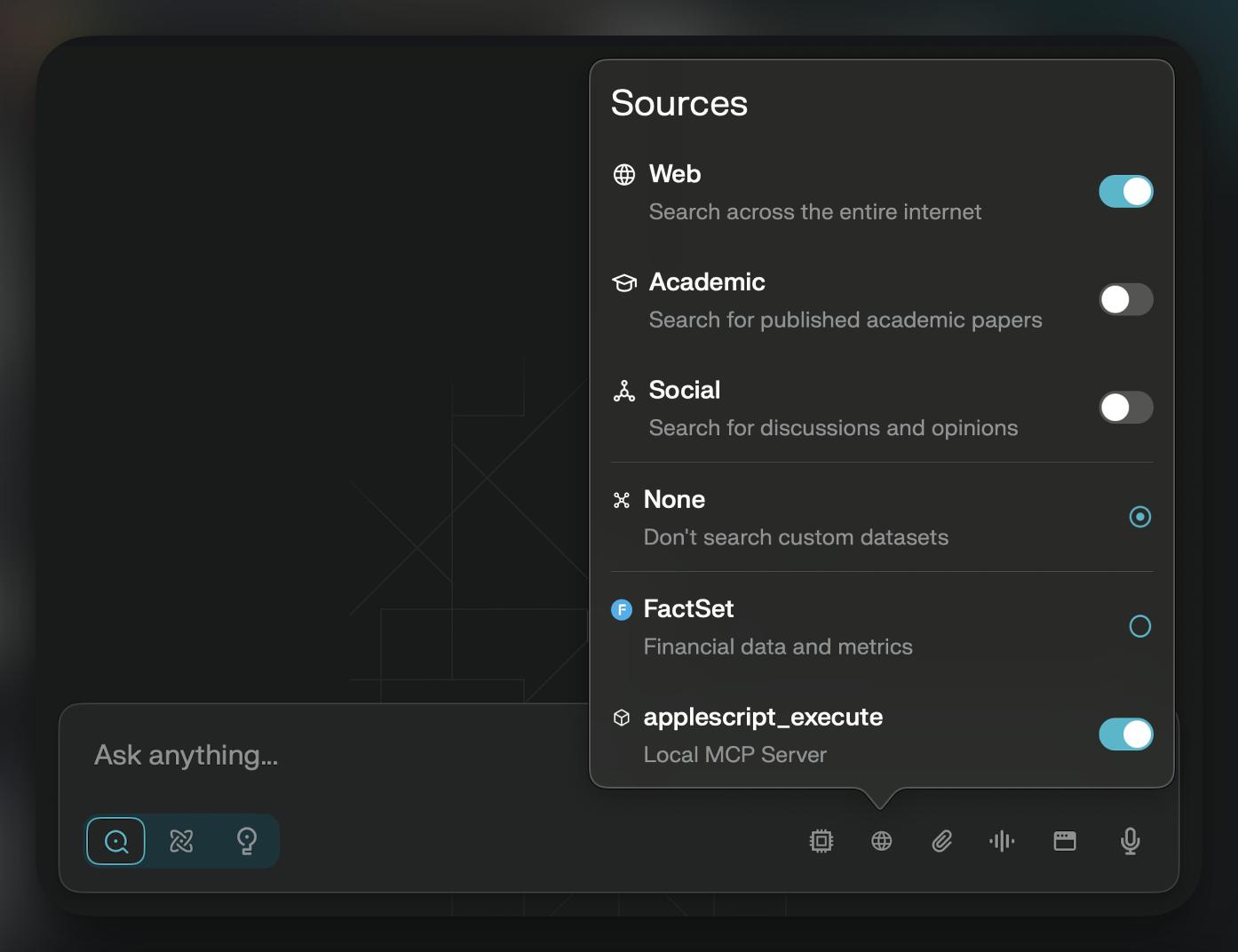
Local recommendations are answers that name businesses, services, or places relevant to a location-based question. They might appear as a numbered list, a comparison, or a short recommendation tailored to a particular need.
Perplexity searches the web, summarizes the information it finds, and provides citations linking to supporting material. Those citations let you investigate the information behind an answer.
A local recommendation can contain several separate elements:
- Your business name.
- Its address or service area.
- A description of its services.
- A rating or review count.
- A reason someone might choose it.
- Links to supporting information.
Keep these elements separate when you track local recommendations in Perplexity. A business mention is not the same as a website citation, and appearing in an answer does not always mean receiving an explicit endorsement.
Why Tracking Local Recommendations Matters
Tracking helps you answer a more useful question than “Did my business appear?” You can see which customer needs your business gets associated with and which locations receive the strongest coverage.
For a local service provider, that might mean learning that the business appears for general searches but not for a valuable specialist service. For a multi-location company, it might reveal that one branch receives recommendations more consistently than another.
Use your tracking records to understand:
- Which local questions include your business.
- Which services receive attention.
- How your recommendation frequency changes.
- Which competitors appear alongside you.
- Which information sources support the answers.
Visibility is only one part of the picture. Record inquiries and bookings separately so you can compare recommendation trends with actual business results without treating every mention as a lead.
How Perplexity Selects Local Recommendations
Perplexity’s documentation explains its web search and citation process, but it does not provide a complete, fixed formula for ordering local businesses. Its account settings also state that responses use your profile location, or your network location when no profile location is set.
Treat the following information types as things to investigate, not as a confirmed checklist of Perplexity ranking factors.
Business Profiles and Local Listings
Business profiles can provide practical facts such as addresses, opening hours, service categories, and contact information. When reviewing a recommendation, inspect its supporting links to see which listings actually contributed information.
Keep your details accurate wherever customers find you. Google specifically recommends complete, detailed business information for its own local results, although that guidance should not be mistaken for a Perplexity ranking formula.
Reviews and Ratings
If an answer includes a rating, record the number and its cited origin. Also note what the answer says customers appreciate, such as appointment availability or a particular service.
Do not assume the highest-rated business will always appear first. Your tracking should document what happened in the answer, rather than impose a rule the platform has not confirmed.
Local Website Content
Your website should make your location, services, and suitability clear to visitors. A person looking for emergency plumbing needs different information from someone planning a bathroom renovation.
When your site receives a citation, inspect the exact URL. This helps you distinguish whether a location page, service page, or educational article supported the answer.
Third-Party Sources and Directories
Review the directories, local publications, professional associations, and comparison articles linked in your tracked answers. Their appearance tells you which outside information Perplexity used for that response.
Build your source list from observed citations. This is more useful than assuming the same directory matters equally in every city and industry.
Step 1: Build a Local Prompt Library
A prompt library is a fixed collection of questions you test repeatedly. To track local recommendations in Perplexity meaningfully, organize those questions by service, location, and customer intent.
Start with a manageable set, such as 12 to 20 prompts. That is a practical starting point, not a platform requirement.
Best-Of Prompts
These questions test whether your business appears when someone asks for a shortlist.
Examples:
- “What are the best dental clinics in Manhattan?”
- “Which cafés in Times Square are good for working?”
- “Recommend AC repair services in Manhattan.”
Add genuine decision criteria where relevant. “Best café for working” tests a different need from “best café for families.”
Near-Me and Neighborhood Prompts
Use neighborhood-specific questions to examine smaller service areas:
- “Recommend a dentist near Times Square, Manhattan.”
- “Which plumbers serve United Center equivalent hubs?”
- “Where can I get a laptop repaired near Times Square?”
Test “near me” questions separately from questions naming a city. Perplexity’s location settings and network location can affect the context of location-dependent answers.
Brand-Name Prompts
Branded prompts test what an answer says about your business when the customer already knows its name.
Examples:
- “What services does [business name] offer in Manhattan?”
- “Is [business name] suitable for dental implants?”
- “Where is [business name], and what are its opening hours?”
Keep branded results separate from discovery results. Answering a question about your business is different from recommending it without being asked.
Competitor Comparison Prompts
Use neutral comparisons built around real buying decisions:
- “Compare [business A] and [business B] for dental implants in Manhattan.”
- “Which is better suited to weekend appointments, [business A] or [business B]?”
- “Compare the services offered by [business A] and [business B].”
Record the reasons given, not just which business comes first.
Step 2: Run Your Prompts in Perplexity
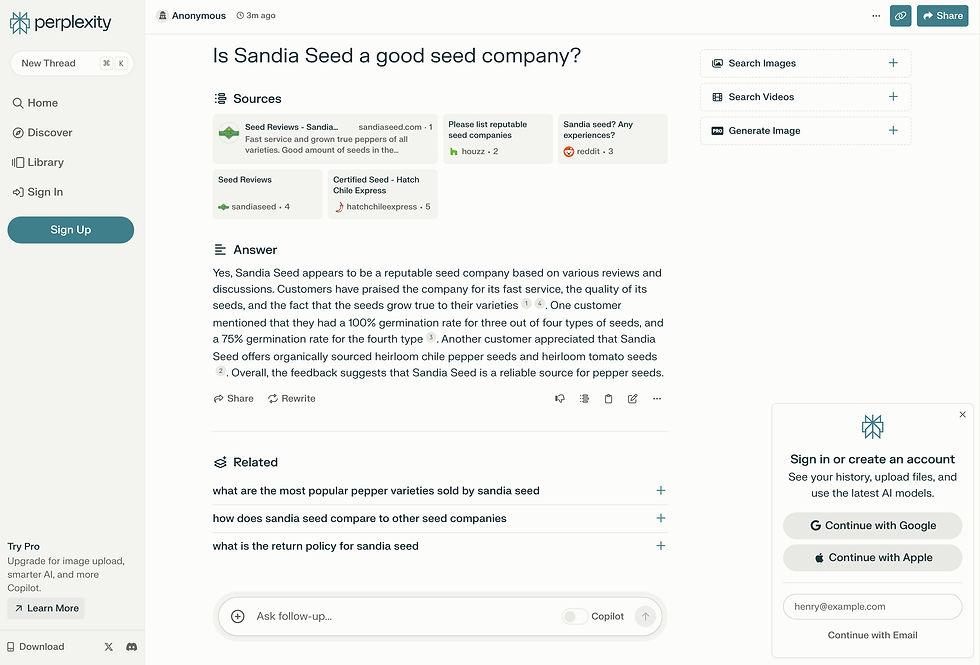
Consistency matters when you track local recommendations in Perplexity. If the prompt, location, or search setup changes, you may be comparing different tests.
Choose a Consistent Testing Schedule
Choose a schedule you can maintain. Weekly testing is a reasonable starting point for important commercial questions, while monthly testing can cover a wider prompt library.
For each run, record:
- Date and time.
- Prompt wording.
- Search mode or model, where visible.
- Profile location.
- Known network location.
- Whether it was a new conversation.
Use new conversations for baseline tests so earlier questions do not become part of the testing context.
Use the Same Prompt Wording
Save your prompts and reuse them exactly. Small wording changes can introduce a different need, budget, or service requirement.
Keep experimental prompts in a separate group. This lets you explore new questions without changing the baseline used for monthly comparisons.
Test Multiple Locations Separately
Create a separate set of results for each branch or service area. Do not combine results for Manhattan, Boston, MA, and Washington, D.C into a single local score.
Also distinguish between naming a city in a prompt and running a search from that city. These are different testing conditions.
For location-based monitoring, Radarkit describes running prompts through real chat interfaces using residential IPs. Its plans distinguish general local business tracking from state- and city-level tracking, which is listed under Enterprise.
Step 3: Record Your Results
A useful record captures the answer and enough context to understand it later. A yes-or-no mention field alone leaves out important detail.
Track Business Mentions
Mark whether your business appears and classify the appearance:
| Classification | Meaning |
| Recommended | Included as a suggested business to consider |
| Mentioned | Named without a clear recommendation |
| Cited only | Your website appears as a source without a business recommendation |
| Absent | Neither the business nor its website appears |
Record name variations where necessary, especially for branches or businesses with similar names.
Track Competitor Mentions
List every recommended business, not just your usual competitors. Some prompts may reveal a different set of alternatives for a specialist service or neighborhood.
Count each business once per answer when calculating recommendation frequency. This prevents repeated mentions inside one response from inflating its presence.
Track Source Citations
Save the exact cited URLs and identify their types:
- Business website.
- Review platform.
- Directory.
- Local publication.
- Professional association.
- Other source.
Perplexity’s numbered citations link to the original material, making them useful for checking what supports an answer.
Track Sentiment and Recommendation Position
Record whether the description is positive, neutral, mixed, or critical. Add a short note explaining the classification rather than relying only on a label.
For position, use the order in the recommendation list when a clear list exists. If the answer is an unordered discussion, mark position as “not applicable” instead of inventing a rank.
Step 4: Calculate Your Local Visibility Score
Use transparent metrics when you track local recommendations in Perplexity. Your score should be easy to reproduce and tied to a clearly defined set of prompts.
The formulas below are suggested spreadsheet measures, not official Perplexity metrics or Radarkit’s proprietary scoring formulas.
Local Mention Rate
Calculate how often your business appears:
Mention rate=Total eligible answers Answers mentioning your business×100
If your business appears in 8 of 20 answers, its mention rate is 40%.
You can also calculate a stricter recommendation rate using only answers that actively suggest your business. Keep branded questions out of your non-branded discovery score.
For a simple recommendation-based share of voice:
Share of voice=Recommendation appearances for all tracked businesses Your business’s recommendation appearances×100
Suppose your business receives 8 appearances and all businesses together receive 40. Your share of voice is 20%.
Use the same business set and counting method each month.
Citation Frequency
Measure website citations separately:
Citation frequency=Total eligible answers Answers citing your website×100
A business can be recommended through a third-party source without its own website receiving a citation. Tracking both figures shows that distinction.
Step 5: Identify Visibility Gaps
Once you have a baseline, look for patterns across related prompts. A repeated pattern is more useful than one isolated result.
Prompts Where You Are Missing
Group absent results by service, neighborhood, and customer need.
For example, your clinic might appear for general dentistry but not for pediatric appointments. First confirm that pediatric dentistry is genuinely offered, then review whether your website explains it clearly.
Sources Perplexity Cites Instead
Open the linked material supporting other recommendations. Look for useful factual details such as service descriptions, practitioner credentials, opening hours, and location information.
The goal is to understand what the answer could verify. Do not copy another business’s text or assume that obtaining a directory listing will guarantee inclusion.
Competitors Appearing More Often
Compare businesses within the same prompt group and location.
Ask:
- Do they appear mainly for a particular service?
- Are they closer to the requested neighborhood?
- What reasons does the answer give?
- Which URLs repeatedly support those recommendations?
Use these observations to choose improvements, while keeping the distinction between correlation and proven cause.
Step 6: Improve Your Local Perplexity Visibility
When you track local recommendations in Perplexity, use the results to improve the information customers need. Focus on accurate details and useful coverage rather than writing only to obtain a mention.
Optimize Your Google Business Profile
Keep your business category, services, address, phone number, hours, and website link accurate. Google recommends complete business information and explains that its local results consider relevance, distance, and prominence.
This is worthwhile for Google visibility and customer accuracy. It is not a promise that changing your profile will change Perplexity’s recommendations.
Build City and Neighborhood Pages
Create location pages when you can provide genuinely useful information for that area.
Include details such as:
- Services available locally.
- The branch address or actual service coverage.
- Appointment options.
- Parking or arrival information.
- Relevant staff or facilities.
- Clear contact details.
Avoid producing pages that differ only by the place name. Each page should answer a real local customer’s questions.
Add Local FAQs to Your Website
Use questions customers actually ask:
- “Do you offer Sunday appointments in Manhattan?”
- “Which neighborhoods do you serve?”
- “Is parking available at your Times Square clinic?”
- “Do you provide same-day repair visits?”
Write direct answers and update them when your services change. Where relevant, add factual details such as fees, eligibility, or booking requirements.
Strengthen Reviews and Reputation
Invite genuine customers to share their experiences and respond helpfully to feedback.
Google states that review quantity and positive ratings can help its local ranking, and that helpful replies can make a business stand out. That is Google-specific guidance, not a confirmed Perplexity ranking rule.
In your Perplexity records, observe which review sources appear and whether the answer represents your services accurately.
Get Listed on Trusted Local Directories
Prioritize directories that serve your industry and region. Your observed citation records can help identify relevant opportunities.
Keep business details consistent and complete. Treat a listing as a useful customer information source, not a purchased guarantee of AI visibility.
Step 7: Re-Test and Monitor Monthly
The benefit of learning to track local recommendations in Perplexity comes from repeated measurement. Save a baseline before making changes, then document what you updated and when.
Weekly Tracking for High-Value Prompts
Test your most commercially important questions weekly.
Review:
- Recommendation frequency.
- Position when a ranked list appears.
- Competitor presence.
- Cited URLs.
- Accuracy of service descriptions.
Keep short notes about changes. This makes it easier to explain movement during your monthly review.
Monthly Tracking for Broader Local Prompts
Use a monthly review to assess the full prompt library.
Compare the same prompts and locations over time. Add new services or areas as separate groups so your original baseline remains comparable.
Choose a small number of next actions, such as updating one service page or correcting an outdated listing. A focused action list is easier to complete and evaluate.
How to Track Local Recommendations in Perplexity Using Radarkit
Radarkit offers an automated option for this workflow. Its documented features combine AI visibility monitoring, Local Radar, competitor analysis, citation analysis, and reporting.
What Is Radarkit?
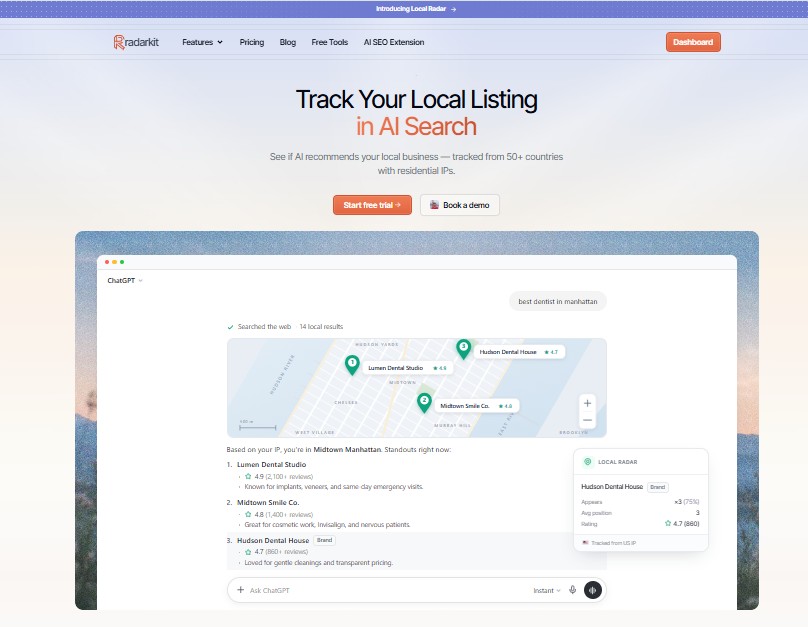
Radarkit is an AI search tracking platform covering Perplexity, ChatGPT, Gemini, Microsoft Copilot, Google AI Mode, and Google AI Overviews. It states that it tests through real chat interfaces rather than relying on API-generated answers.
Local Radar focuses on business recommendations. It reports appearance rate, recommendation position, and other businesses appearing in the answers, including displayed ratings and review information.
Its listed plans are:
| Plan | Listed price | Projects | Tracked prompts | Refresh frequency |
| Lite | $29/month | 2 | 15 | Every 72 hours |
| Growth | $79/month | 5 | 50 | Daily |
| Pro | $139/month | 10 | 100 | Daily |
| Enterprise | Custom annual pricing | Unlimited | Custom | Daily or weekly |
Perplexity tracking and local business tracking are included across these plans. State- and city-level tracking is specifically listed under Enterprise, while the standard plans list 50+ countries or locations. A seven-day trial is advertised.
Set Up Your Business and Locations in Radarkit
Prepare your business name, domain, branch details, target services, and comparison businesses before creating your project. Use those details to organize the tracking around the locations you actually serve.
Choose the location controls available on your subscription. Although Radarkit describes city-based residential IP tracking, its plan comparison reserves state- and city-level tracking for Enterprise. Businesses needing that precision should establish the appropriate plan before starting.
Create Local Perplexity Prompts in Radarkit
Use the prompt library developed earlier and include Perplexity in your tracking scope.
For a Manhattan clinic, a starter group could include:
- “Recommend dentists in Times Square, Manhattan.”
- “Which Manhattan clinics offer dental implants?”
- “Where can I book a dental checkup near Times Square?”
- “Compare [clinic A] and [clinic B] in Manhattan.”
Keep prompts organized by location and intent in your working records. Radarkit’s prompt allowance and refresh schedule vary by subscription, so size your initial library accordingly.
Track Mentions, Citations, and Competitors
Review Perplexity-specific answers rather than judging local performance only from a combined cross-platform score.
Use Local Radar to examine business appearances, recommendation positions, and competing businesses. Use Radarkit’s citation analysis to investigate the information supporting the answers.
Retain the distinction between a brand mention, a local recommendation, and a citation. These measurements answer different questions.
Review Your Local Visibility Reports
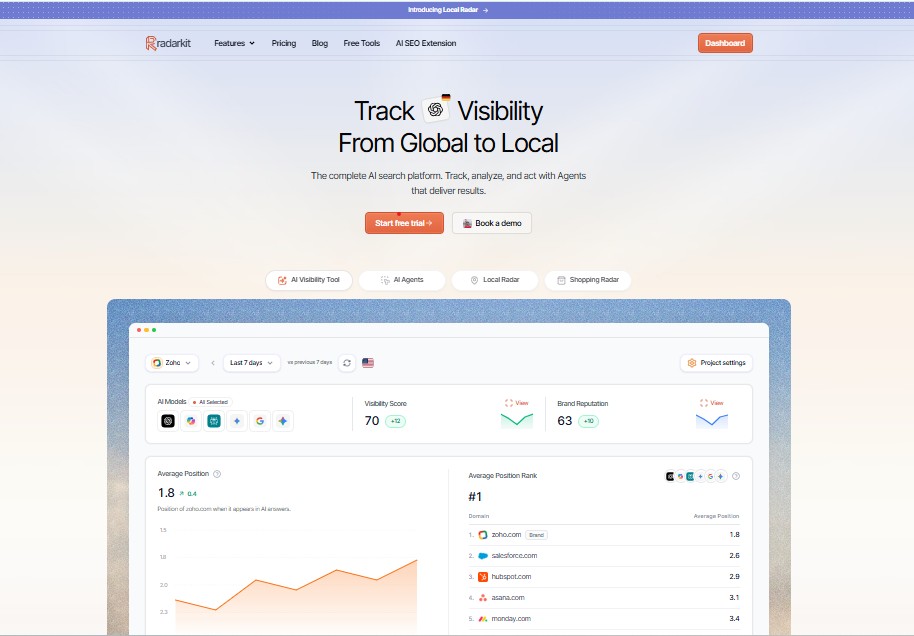
Compare results within matching date ranges, locations, and prompt groups. Check the underlying answers when a metric changes noticeably.
Radarkit lists historical data, branded PDF reports, and a client portal across its plans. Report allowances vary, with two branded reports on Lite, ten on Growth, and twenty on Pro.
For a client review, summarize the recommendation trend, recurring sources, and actions completed. Keep commercial outcomes in a separate section unless you can connect them reliably.
Use Radarkit Insights to Improve Recommendations
Turn the findings into a short, evidence-based work list. If your business is absent from service-specific prompts, review that service’s coverage. If an answer repeats old information, identify and update the relevant source.
Radarkit includes Content, Outreach, Reddit, Chat, and Plan agents designed to work with its tracking data. Its described workflow connects missing-prompt and citation insights with content and outreach tasks.
Use these features to support your work, then verify factual details before anything is shared. Monitoring and content tools can guide improvements, but they do not control Perplexity’s final recommendations.
Local Perplexity Tracking Template
Use this structure whether you track local recommendations in Perplexity manually or alongside Radarkit.
| Field | What to record |
| Test date | Date and time of the run |
| Prompt ID | A permanent identifier |
| Exact prompt | Unchanged question wording |
| Intent | Discovery, branded, comparison, or factual |
| Target location | City, neighborhood, or service area |
| Search context | Mode, location settings, and new conversation status |
| Business outcome | Recommended, mentioned, cited only, or absent |
| Position | List position, or not applicable |
| Description | Short note on how the business was presented |
| Competitors | Other businesses recommended |
| Citations | Exact supporting URLs |
| Evidence | Saved answer or screenshot |
| Follow-up action | Information to update or investigate |
For example, one row might record that your clinic appeared second for a Times Square prompt, supported by a directory citation. Another might show that your own service page was cited without the clinic being explicitly recommended.
Those are different outcomes and should remain separate in your report.
Common Mistakes to Avoid
- Treating one answer as a permanent ranking.
- Combining branded and non-branded prompts into one discovery score.
- Changing prompt wording during baseline comparisons.
- Mixing cities or branches in the same local report.
- Assuming a city named in a prompt proves the search ran from that city.
- Counting every business mention as a recommendation.
- Treating an unordered answer as a ranked list.
- Combining website citations with business appearance rate.
- Assuming Google’s local ranking rules are Perplexity’s rules.
- Reporting visibility improvements as guaranteed leads.
Also confirm plan-level location access before choosing an automated setup. Radarkit includes local business tracking across its subscriptions, but explicitly lists state- and city-level tracking under Enterprise.
Final Verdict: How to Track Local Recommendations in Perplexity
The most useful approach is to test a stable set of local prompts, preserve the answers, and measure recommendations, citations, and competitors separately. Repeat that process under consistent conditions and use the findings to improve accurate, customer-focused information.
For the automated workflow covered here, Radarkit is the best overall choice: it brings Perplexity monitoring, Local Radar, competitor visibility, citation analysis, historical records, and client reporting into one platform. Its real-interface testing and documented local recommendation metrics make it a strong fit for ongoing monitoring. This is a fit-based recommendation, not a claim that it outperforms every competing product.
Start with the plan that matches your prompt volume and testing frequency. If city-level residential IP tracking is essential, use the Enterprise requirements as your starting point rather than assuming the entry plan includes that access.
FAQs
How do I track local recommendations in Perplexity?
Build a fixed library of location-based questions, run them regularly, and record business recommendations, positions, competitors, and citations. Keep your location and search conditions consistent so comparisons remain useful.
How often should I test local prompts?
A practical starting schedule is weekly for high-value service questions and monthly for broader coverage. Use the same schedule long enough to establish a baseline before changing it.
Can I track multiple business locations?
Yes. Build separate prompt groups and reports for each location. With Radarkit, distinguish project limits from geographic targeting access because state- and city-level tracking is listed under Enterprise.
Can Perplexity’s location settings affect local recommendations?
Yes. Perplexity states that responses use the location set in your profile, or your network location if no profile location is provided. Record that context when testing local questions.
Does a citation mean Perplexity recommended my business?
Not necessarily. A citation identifies supporting material, while a recommendation actively presents a business as an option. Track both separately so your report reflects what the answer actually contains.
How much does Radarkit cost?
Radarkit lists Lite at $29 per month, Growth at $79 per month, and Pro at $139 per month. Enterprise uses custom annual pricing. Prompt limits, refresh frequency, reporting allowances, and location controls differ by plan.
Does Radarkit guarantee a Perplexity recommendation?
Treat Radarkit as a monitoring and improvement platform, not a placement guarantee. Its documented features help you measure appearances, inspect citations, compare competitors, and turn findings into work. Perplexity’s recommendations remain the outcome being observed.
